
Translate PDF OnlineFree AI-powered PDF translation online
Translate PDF online and keep the original layout — columns, tables, figures and fonts stay faithful. Translate PDFs online into English, Chinese, Spanish, French, Italian, German, Greek, Japanese, Korean and Russian. It runs in your browser, so you can translate a PDF online with no install and no setup.
Text-based PDF translation works best when you can select text in the PDF. The OCR Translator recognizes text in scans and images first, then translates—complementing the main pipeline when layout extraction alone is not enough.


What is Translate PDF Online
Translate PDF Online is a web service that translates PDF documents online while keeping the original design. It is built for papers, manuals, reports and books — not plain text dumps — so when you translate a PDF online, you get a faithful, readable result that mirrors the source.
Layout-preserving output
When you translate PDF online, the translated PDF mirrors the original structure: multi-column text, tables, images and headings stay aligned with the source page.
Many language pairs
Choose source and target from a growing set of languages to translate PDF online — fine for academic, legal and professional documents across regions.
Secure, ephemeral storage
When you translate PDF online, files move over HTTPS and are removed on a fixed retention schedule after processing, so your documents do not linger.
History & task recovery
The History panel lists every PDF you translate online, so you can reopen a task without re-uploading the same file while it is still retained.
Why teams translate PDFs online with us
When you translate a PDF online, you want the document back intact — not a pile of broken formatting to fix by hand. That is the whole point.


How to translate a PDF online
From upload to download — translate PDF online in five steps:
Upload
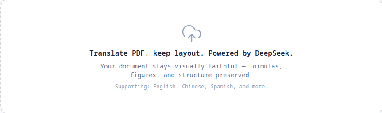
Drop a PDF or pick a file. Large documents are supported within the limits shown on the translate page, so you can translate a big PDF online in one go.
Source language
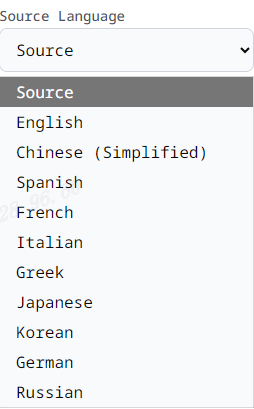
Select the document language so the engine translates from the correct source when you translate PDF online.
Target language
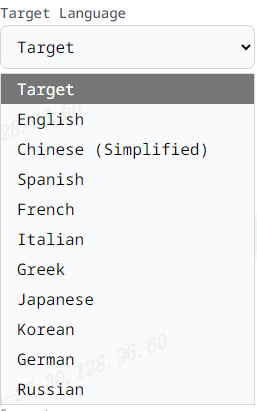
Pick the language you want the PDF translated into — English, Chinese, German, Japanese, Norwegian and more — then start the job.
Download
When the job finishes, download the translated PDF from the same screen. The result keeps the original layout wherever supported.
History
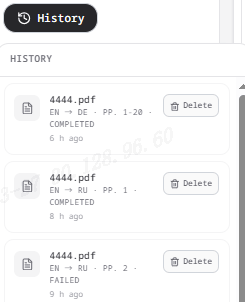
Reopen finished translations from History while the file is still available, so you never lose a PDF you translated online.
Upload
Drop a PDF or pick a file. Large documents are supported within the limits shown on the translate page, so you can translate a big PDF online in one go.
Source language
Select the document language so the engine translates from the correct source when you translate PDF online.
Target language
Pick the language you want the PDF translated into — English, Chinese, German, Japanese, Norwegian and more — then start the job.
Download
When the job finishes, download the translated PDF from the same screen. The result keeps the original layout wherever supported.
History
Reopen finished translations from History while the file is still available, so you never lose a PDF you translated online.
What you get when you translate PDF online
Practical capabilities for real PDF translation workflows.
Vector-friendly pipeline
Uses an advanced AI text-placement path so translated text is placed back into the PDF structure where supported — that is how a PDF translated online keeps its layout.
Credits & billing
Pay for what you translate with a credits model tied to pages and product settings, so translating a PDF online stays predictable.
Account or guest flow
Sign in for billing and history across devices, or try the flow in a single session before you translate a PDF online.
Edge-hosted UI
Fast first load on Cloudflare; your browser handles preview and download, keeping the PDF you translate online responsive.
Documentation
Architecture, retention and compliance notes in /docs for transparency about what happens when you translate PDF online.
Developer-friendly stack
A Next.js app with clear APIs between UI, storage and the translation worker — the same stack that lets you translate PDF online reliably.
Built for serious documents
From single papers to large manuals — translate PDF online at any scale.
8+ Interface languages
Interface languages
7 Day default retention
Day default retention
1 Layout-aware pipeline
Layout-aware pipeline
Frequently asked questions about translating PDF online
Quick answers before you translate PDF online. More detail in /docs or email hello@translatepdfonline.com.
Translate your first PDF online
Upload on the translate page and translate PDF online now — use History to return to any recent job.